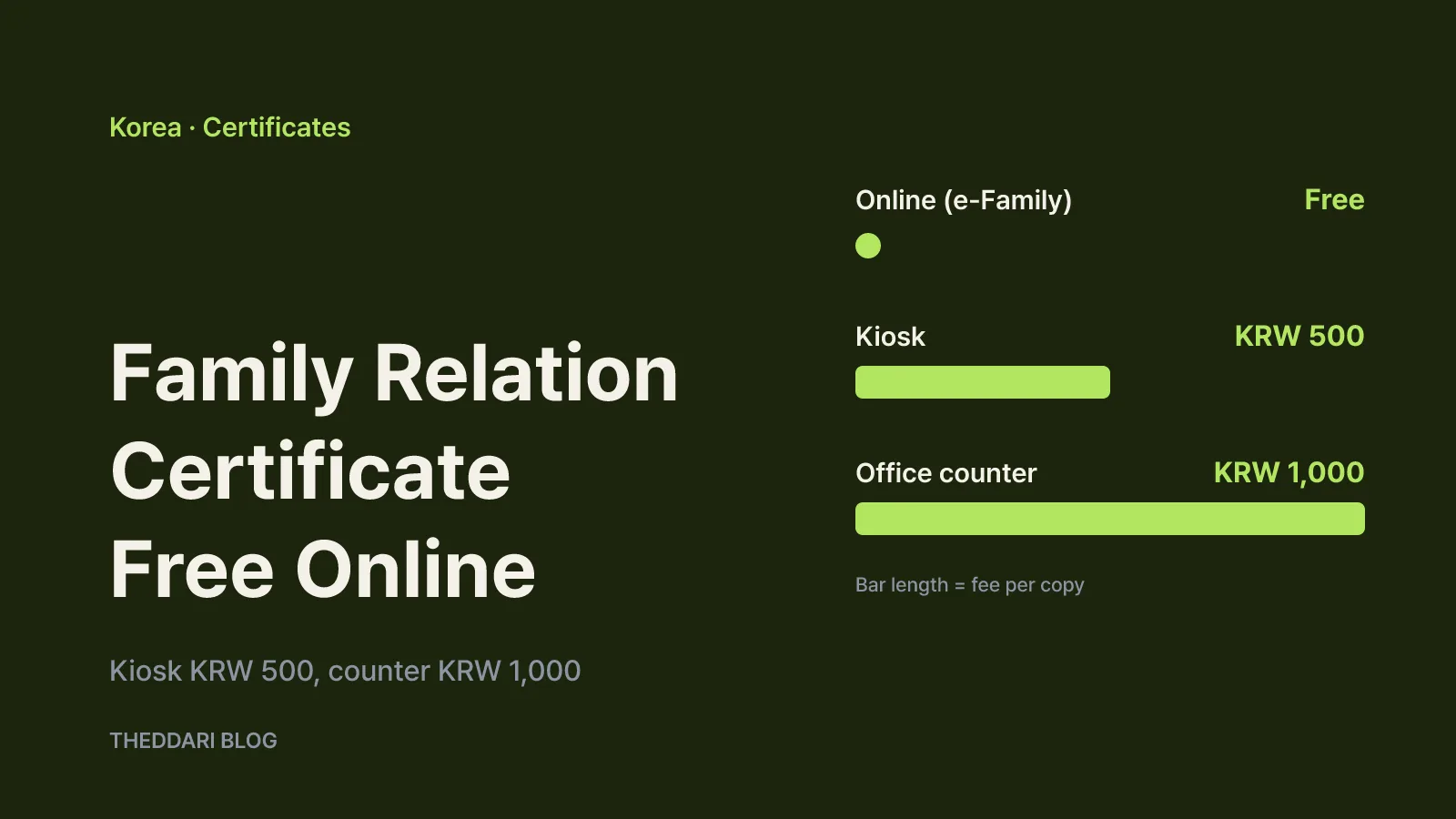
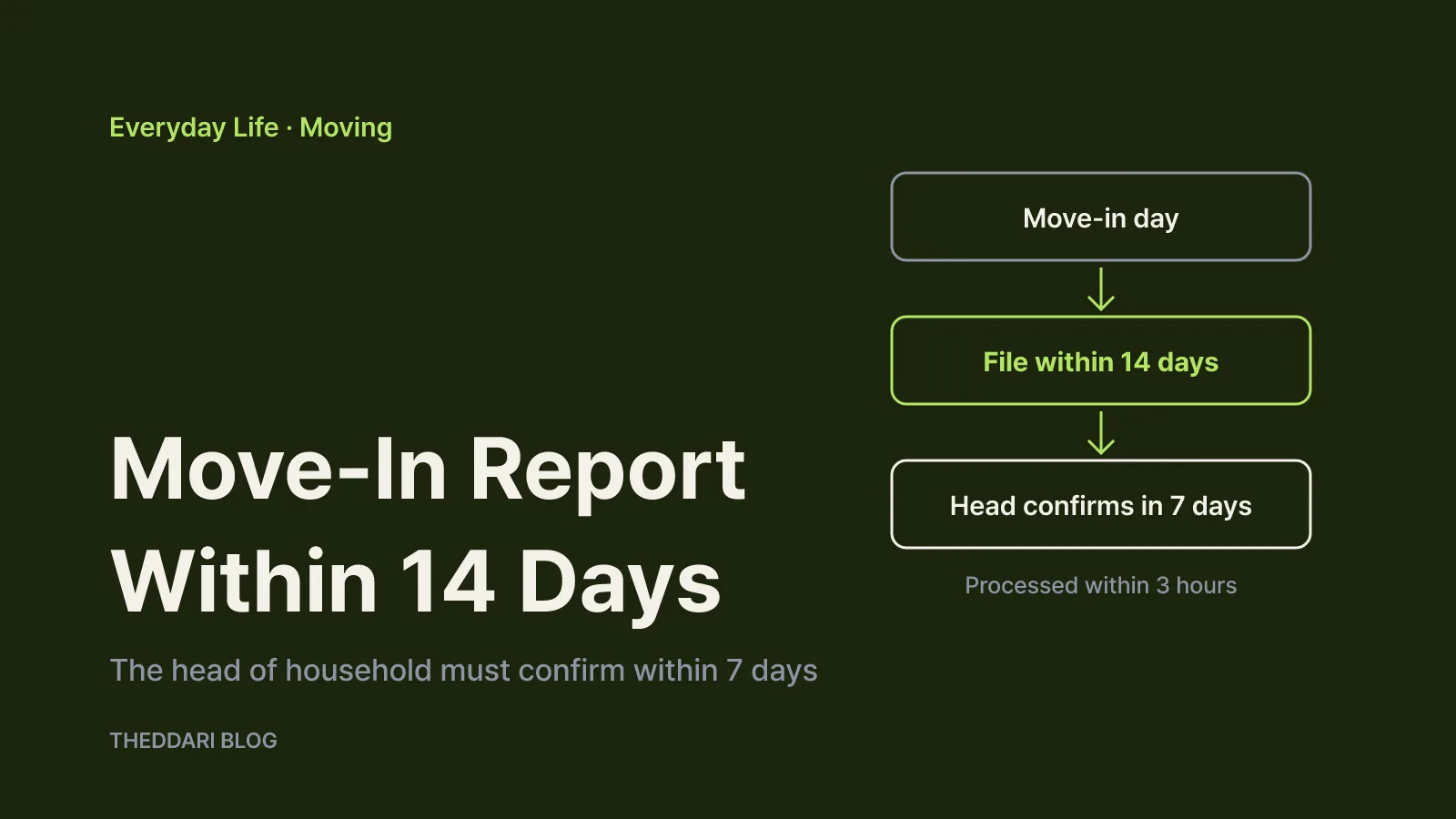
As of October 2026, anyone who moves to a new home in South Korea has 14 days from the day they move in to file a move-in report (전입신고, jeonip singo). You can do it online through Gov24, the government's civil service portal, or in person at the community center (eup, myeon or dong office) for your new address. There is no fee. Online filing must be done by the person who is moving, signed with their own digital certificate. If someone other than the head of household files, the head of household has to confirm the request on Gov24, and according to Gov24's filing notes the request is cancelled if that confirmation does not happen within 7 days. Missing the 14-day deadline without a valid reason can lead to an administrative fine of up to 50,000 won.
This guide covers resident registration as described on Gov24 and in Korea's Resident Registration Act. It does not cover the separate address-change procedures for registered foreign residents, so check the rules for your own status before following the steps below.
The 14-day deadline, the fine and who can file
Korea's government legal-information service, Easy to Find Practical Law, explains that Article 16(1) of the Resident Registration Act requires a move-in report within 14 days of moving to a new residence. The clock starts on the day you actually start living at the new address, not the day you sign a lease. If you move in on November 1, aim to finish by November 14.
The law also lists who may file. The head of household, the person who manages the household and the person moving can all file. A spouse or lineal relative of the head of household, a lineal relative of the head's spouse, or the spouse of the head's lineal relative can file if delegated by the head of household. For dormitories and other shared lodging, the manager or a resident files.
Under Article 40(4) of the Act, failing to report within 14 days without a justifiable reason can result in a fine of up to 50,000 won. That figure is a ceiling; the district office decides the actual amount. Registering at an address where you do not really live is treated far more seriously than lateness. It is a criminal matter, and local neighborhood heads may check afterwards whether you actually live there. Gov24's notes add that false or unreported moves can lead to your registration being marked as "residence unknown".
One useful side effect: a move-in report counts as several other address updates. Under Article 17 of the Act, it is treated as the change-of-residence report for National Health Insurance members, the relocation report for people subject to military service, the change report for a registered personal seal (ingam), and address changes for basic livelihood benefit recipients and registered persons with disabilities. You do not need to visit the health insurance office separately.
How to file a move-in report online on Gov24
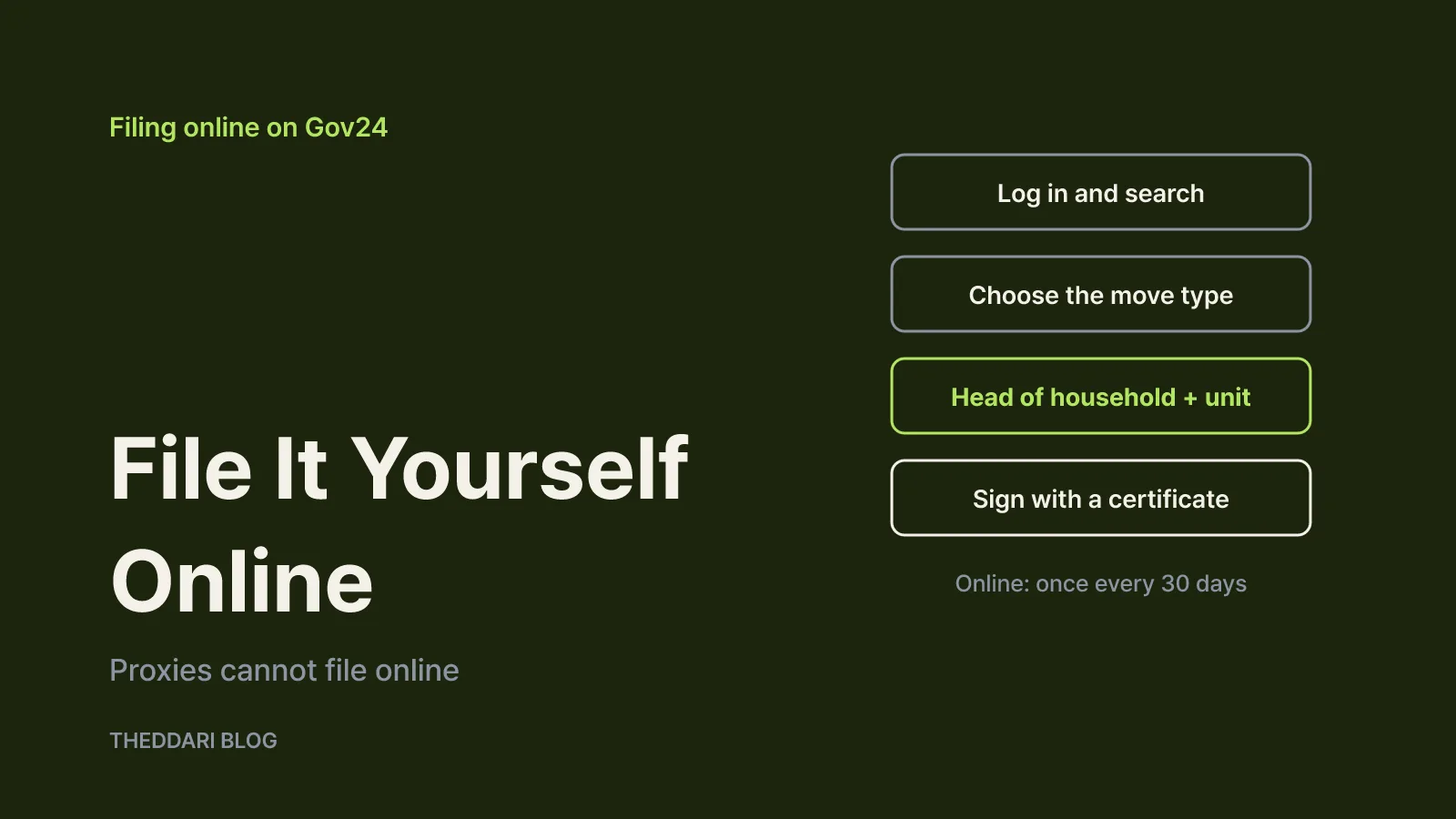
Gov24 accepts online move-in reports at night and on holidays. The service page states that proxies cannot file online, so the person moving must log in with their own certificate. The steps are:
- Log in to Gov24, search for
전입신고(move-in report) and click Apply. Read and accept the notes on the first screen. - Choose the move type (whole household moving, joining another household, merging households and so on) and the departure type, then enter your phone number and your relationship to the head of household at the new address.
- Enter the name, resident registration number and mobile number of the head of household at the new address. If you are the head, use the Applicant button. Search for the new address and type the full detailed address, including building, floor and unit number.
- Check the head of household and address at your previous home, then add any household members moving with you. At this step you also choose whether to share your new address for mail forwarding and whether an elementary school placement is needed.
- Click Submit and sign with your digital certificate.
A few limits catch people out. Online move-in reports can be filed only once every 30 days. Minors under 17 who have not been issued a resident registration card need a legal guardian's consent and cannot file alone, and filing online for a minor requires certificate confirmation from the heads of household at both the new and old addresses. A report can also be rejected if the address is a place where two or more households could not reasonably live.
Take extra care with the unit number. If it is missing, mail and tax notices can go astray, and for tenants the registration record matters for deposit protection. Compare the building name and unit with your lease before you submit.
When the head of household must confirm, and the 7-day rule
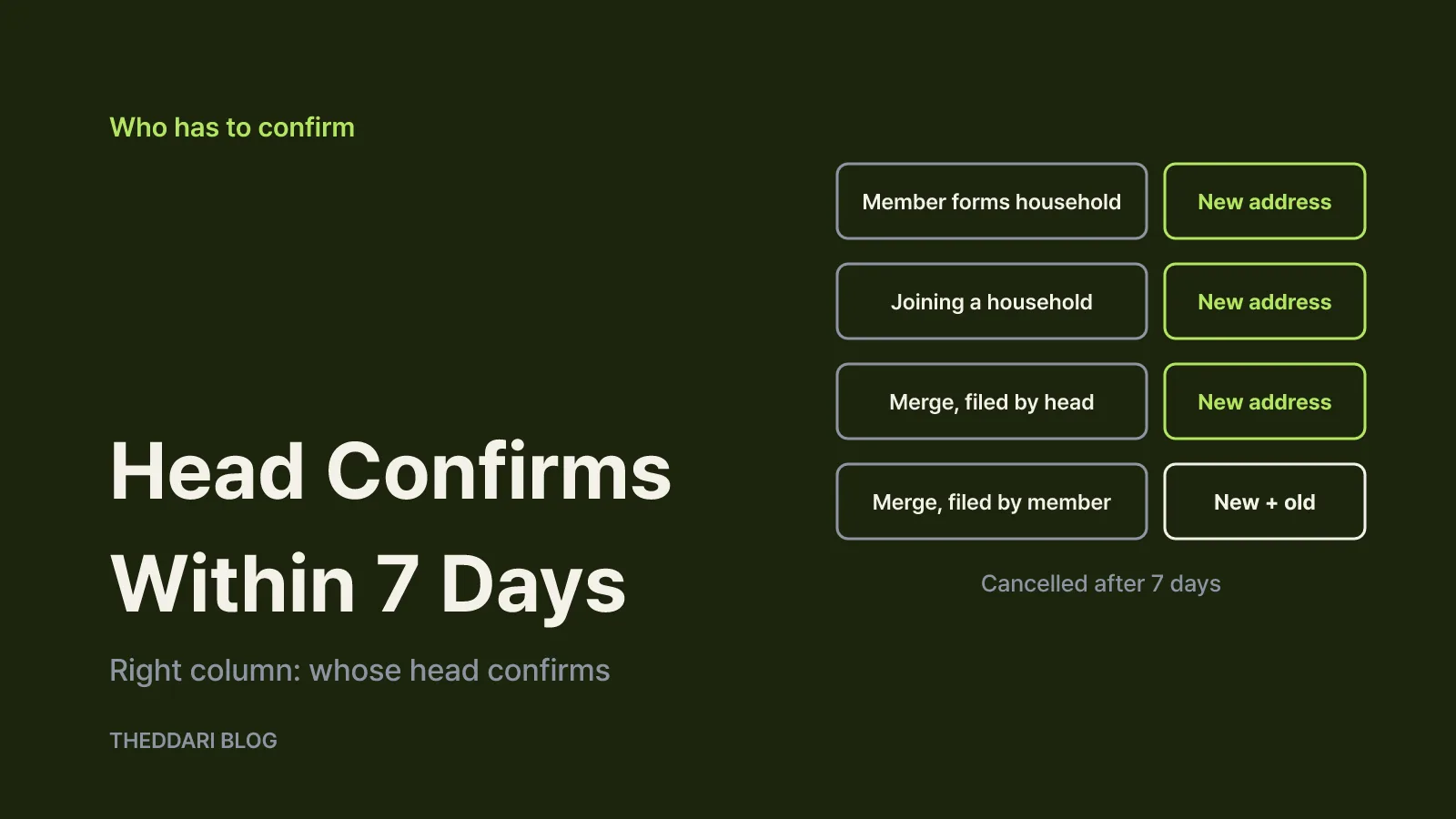
The step that stalls most online reports is head-of-household confirmation. Gov24's notes set out when it is needed:
- Forming a household: if a member who is not the head files, the head of household at the new address must confirm.
- Joining another household: if someone joins an existing household at the new address, that household's head must confirm.
- Merging households, filed by the head: the head of household at the new address must confirm.
- Merging households, filed by a member: the heads of household at both the new and old addresses must confirm.
If you move alone and become the head of a new household, there is usually no confirmation step. If you move into a home where your spouse or a parent is already the head, that person has to confirm.
The head of household receives a text message at the number you entered. They then open Civil Services > Fact/Authenticity Check > Head of Household and Mover Confirmation on Gov24, enter their name, resident registration number and the input confirmation number, verify themselves with a certificate, open the request and press the identity confirmation button at the bottom of the details page.
Timing is what matters. Gov24 says that a request left in the "awaiting head-of-household confirmation" state for 7 days is cancelled. You would then have to start over, using up more of your 14 days. If the head of household cannot use a digital certificate, a visit to the community center may be faster from the start.
Processing times and how to confirm it worked
According to the Gov24 FAQ, online reports received during office hours (9 a.m. to 6 p.m.) are processed within 3 hours. Reports filed after 6 p.m. or on a holiday are processed within 3 hours of the next working start time, and anything filed after 3 p.m. may be handled the next day. A Friday-evening report will typically be processed on Monday morning.
On the next working day, check the status under My Civil Services on Gov24:
← Swipe to see more
| Status | What it means |
|---|---|
| Awaiting head-of-household confirmation | The head has not confirmed yet. Ask them to do it within 7 days. |
| Processing | A community center officer is handling it. Call that office if it drags on. |
| Completed | Check your resident registration record (free to view) to confirm the new address. |
| Cancelled | Cancelled at your request or after 7 days without confirmation. Fix the cause and reapply. |
| Cannot process | Rejected, for example because of an error in the form. Correct it and reapply. |
Viewing your resident registration record is the most reliable confirmation. It costs nothing and shows whether the new address and move-in date are correct.
When you need to go in person, and what to bring
Visit the community center for your new address if you cannot use a certificate, if confirmation will be hard to get quickly, or if online filing is not available to you. Gov24 lists in-person processing as immediate (within 3 hours during office hours), with no fee.
You must file in person if you are:
- A Korean national returning after staying abroad, because your entry must be verified. Online filing is not available.
- An overseas Korean national (jaeoe gungmin), because that status must be verified.
- Filing on someone else's behalf, since proxies cannot use the online service.
What to bring:
- Filing for yourself: one valid ID (resident registration card, youth ID card, driver's license, national merit card, disability registration card that includes the resident registration number, or passport) and the prior consent form for shared use of administrative information.
- Filing as a proxy: ID for both the person delegating and the proxy, a power of attorney, and the same consent form.
- IDs of others moving: bring the IDs of everyone moving, except that if they are your spouse or lineal relatives, your own ID is enough.
When the heads of household at the old and new addresses differ, the mover must confirm the report or show ID. If that is not possible, the community center can run a fact check instead, which takes longer.
What to handle alongside it: fixed date, car and mail
Tenants should get a fixed date (확정일자) at the same time. The legal-information guide explains that a tenant's right to assert the lease against third parties starts at 12:00 a.m. on the day after they take possession of the home and complete the move-in report. Priority repayment of the deposit also requires a fixed date stamped on the lease. That is why jeonse and monthly-rent tenants are advised to file the move-in report and get a fixed date on moving day if possible. Gov24's notes say a fixed date can be obtained at the community center or online through the Internet Registry Office, for 600 won in person or 500 won online.
Your car registration depends on the plate type. With a nationwide plate, the move-in report is enough even if you move to another city. If your plate shows a region (for example 서울O 가 OOOO) and you move to a different metropolitan city or province, you must file a separate vehicle change registration.
Mail: if you opt in to address sharing at step 4, your new address is provided to some organizations and businesses that send you mail. Not every sender is covered, so update card companies, mobile carriers and insurers yourself.
The safest routine is simple: file on Gov24 on moving day or the day after, get any head-of-household confirmation the same day, then on the next working day check the status and view your registration record. That keeps you well inside both the 14-day deadline and the 7-day confirmation window.