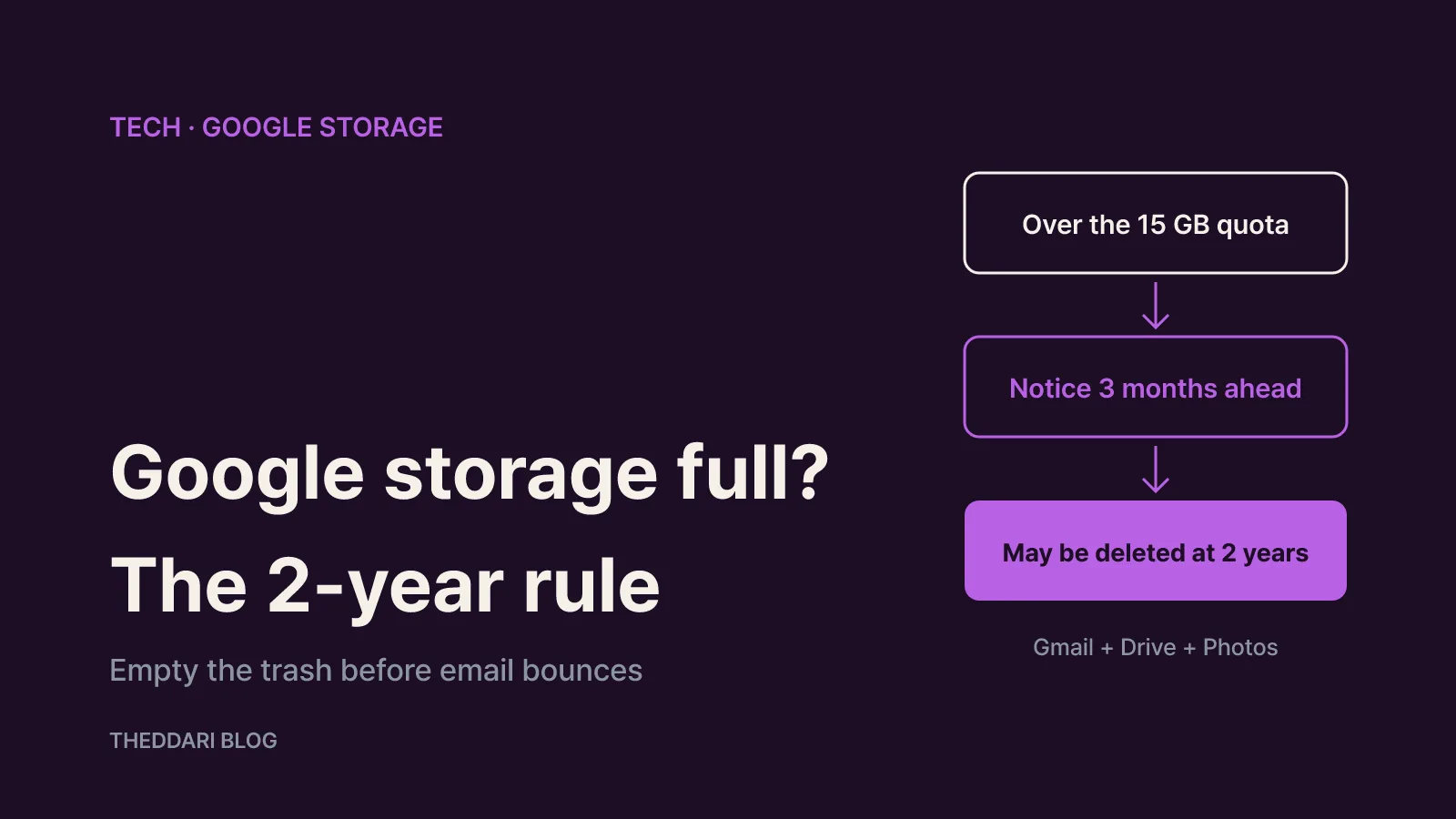
As of October 2026, Google's help pages are clear about what happens when your free 15 GB fills up: Gmail can stop sending and receiving email, messages sent to you can bounce back to the sender, Drive uploads stop and Google Photos stops backing up. The bigger risk is time. If your account stays over quota for 2 years or longer, all of its content may be removed, including Gmail, Google Photos, Google Drive and your Android device backup. Google says it will contact you at least 3 months before content becomes eligible for deletion (How your Google storage works). The fastest fix is to find out what is using the space and empty your trash folders first.
This guide covers personal Google Accounts. Google Workspace accounts issued by an employer or school may follow different rules depending on the plan, so check with your administrator if that applies to you.
Your 15 GB is shared by Gmail, Drive and Photos
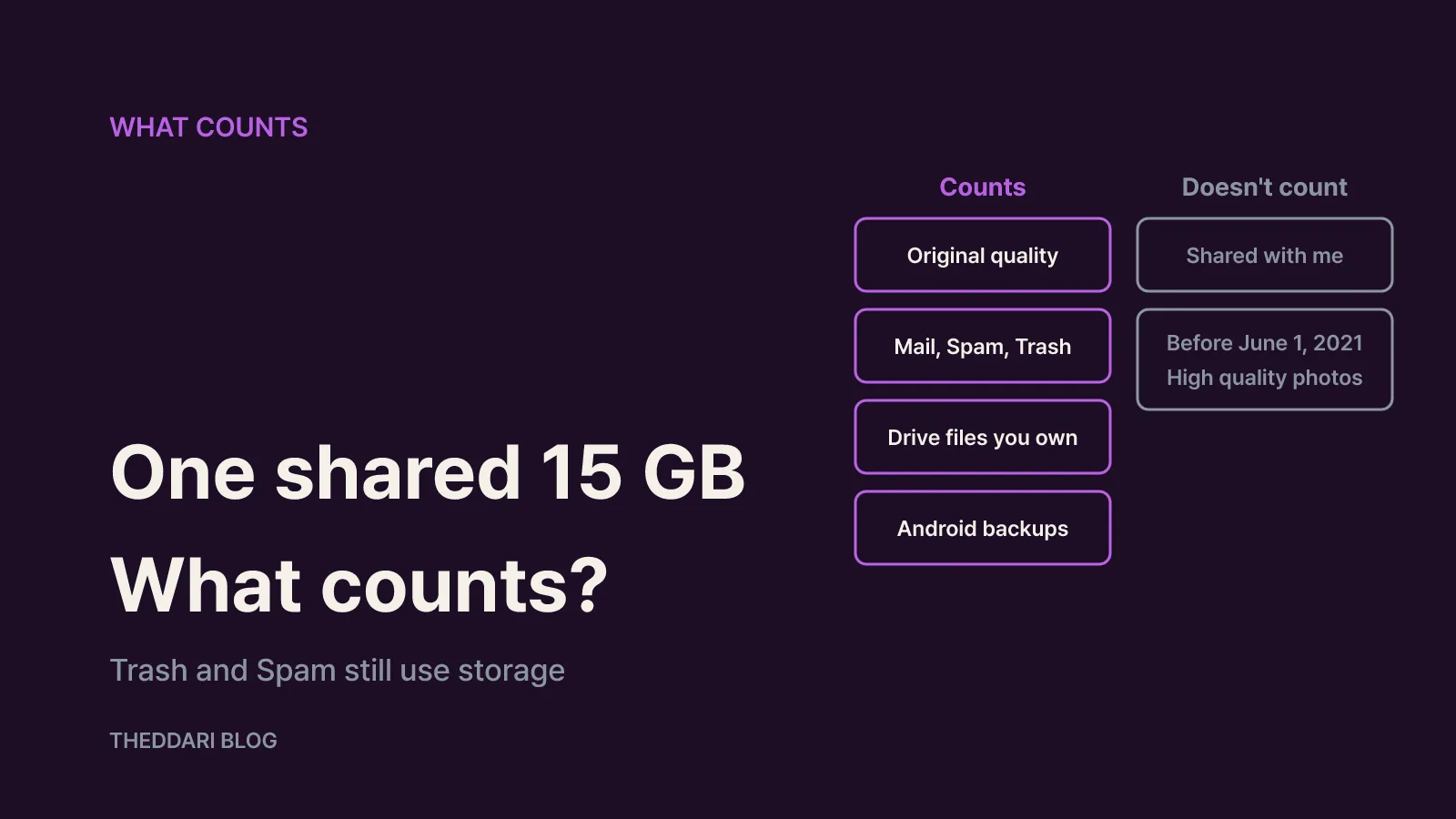
The up-to-15 GB that comes with a Google Account is one pool, not three separate allowances. That is why a phone full of backed-up photos can end up blocking your inbox. According to Google, these items count toward your quota (How your Google storage works):
- Google Photos: photos and videos backed up in Original quality, plus Storage saver (formerly High quality) and Express quality uploads made after June 1, 2021
- Gmail: every message and attachment, including the Spam and Trash folders
- Google Drive: files you own, such as PDFs, images and videos, plus anything left in Drive Trash
- Docs and other editors: Docs, Sheets, Slides, Forms and similar files created or edited after June 1, 2021, plus Meet call recordings
- Backups: WhatsApp backups on Android and everything managed through Android backup settings, including SMS and MMS, call history, device settings and app data
Knowing what does not count saves wasted effort. Photos uploaded in High quality or Express quality before June 1, 2021 never counted, so deleting thousands of old ones may free nothing. Files last edited before that date are also excluded. Items in "Shared with me" count against the owner, not you, but if you make a copy or drop your own files into someone else's shared folder, those files use your storage.
If you use Drive for desktop, it is normal for your computer to show a different number than the website. The desktop app uses small placeholder files, while your cloud total also includes Trash, hidden app data and background system files.
What stops working when you hit the limit
You can still sign in to your Google Account when you are over quota. What breaks is anything that needs new space. Google lists these effects (Manage your storage, Purchase, cancellation and refund policies):
- Gmail: you can't send or receive messages, and mail sent to you is returned to the sender. Verification codes, receipts and delivery notices can quietly go missing.
- Google Drive: you can't upload or sync new files, and sync between your computer's Drive folder and My Drive stops.
- Docs, Sheets, Slides and Forms: you can't create new files, and until you reduce usage nobody can edit or copy the affected files. If you share documents with coworkers, your full account can stall their work too.
- Google Photos: new photos and videos stop backing up, which matters if your phone is lost or broken.
- Recorder: new recordings are not backed up.
The 2-year over-quota deletion policy
Google's over-quota policy has a defined timeline. Once you have been over your storage quota for 2 years, your content becomes eligible for deletion across Gmail, Google Photos, Google Drive (including Docs, Sheets, Slides, Drawings and Forms) and your Android device backup. Before anything is removed, Google says it will:
- Notify you by email and in-product notifications at least 3 months before content is eligible for deletion.
- Give you the chance to avoid deletion by buying more storage or removing files.
- Give you the chance to download your content.
There is a catch worth planning for. Those warnings go to your account email, and if Gmail has stopped receiving mail because you are full, you might miss them. Keep a recovery email address at another provider and leave Google app notifications on.
Some products sit outside this policy: Google Sites, Google Keep, Blogger and YouTube are not covered by the over-quota rule. The separate inactivity policy, however, applies to all content in your account and to the account itself, and Google notes that Inactive Account Manager settings do not override either policy.
Free up space fast: the order that works
If email is already bouncing, start with the trash. Items in Gmail Trash and Spam, Drive Trash and Photos Trash keep using storage until they are permanently deleted (Manage your storage).
- Empty Gmail Trash and Spam. Use the "Empty Trash now" banner at the top of the Trash folder.
- Empty Drive Trash. Open Trash in the left menu and delete permanently.
- Empty Photos Trash. Deleted photos sit in Trash for 30 days before permanent removal, so clear it manually if you are in a hurry.
- Delete one or two huge emails. Pick messages with large attachments you no longer need, delete them and empty Trash again.
Then give it time. Google suggests running advanced cleanup if you are still full after 30 minutes, and after deleting a large batch of files it normally takes 48 to 72 hours for the total to update accurately. Items permanently deleted from Drive and Gmail cannot be recovered, so download anything you want to keep first.
On iPhone or iPad, tapping Clean up space or Manage storage in the Drive, Photos or Gmail app opens the Google One storage manager. When you are over quota, a cleanup target banner shows how much you need to remove, and you can swipe through items to delete.
Keep it from filling up again
Emptying trash buys time. These steps target the items that actually take up room.
Find large emails with search operators. Type these into the Gmail search bar:
has:attachment larger:10Mfinds messages with attachments of 10 MB or morefilename:.pdf larger:5Mfinds PDFs of 5 MB or moreolder_than:2y has:attachmentfinds attachments older than two years
Sort Drive by size. Click Storage in Drive's left menu to list your biggest files first. Drive has no built-in duplicate finder, so switch to list view, sort by name and look for files ending in "(1)" or "Copy of".
Check the hidden categories. Delete old device backups from the Backups section of your storage page, and review hidden app data under Manage apps in Drive settings.
Change WhatsApp settings before deleting the backup. WhatsApp backups on Android count toward Google storage, and deleting the file alone just means a new one appears on the next backup. In WhatsApp, go to Settings > Chats > Chat backup, turn off Include videos and tap Back up now. Then manage old backups at one.google.com/storage/management. A deleted WhatsApp backup is gone for good, and switching phones before a new backup is made can wipe your chat history. WhatsApp backups not updated for 5 months may be deleted automatically.
Download, then delete. Google also suggests moving files to your own device and removing them from the cloud. If cleanup is not enough, a larger Google One plan is the other route.
Before you cancel Google One or a payment fails
Canceling a storage plan removes all the extra space, and at the end of the billing cycle you drop back to 15 GB, which may put you over quota (Purchase, cancellation and refund policies). Check your usage before you cancel. If it is above 15 GB, the restrictions and the 2-year clock described above apply from that point.
If auto-renewal fails, Google adds a 7-day grace period so you can update your payment details, and you keep your current plan during that time. Upgrades can take up to 24 hours to show up. For residents of South Korea, Google's policy page says you can withdraw a purchase within 7 days for a full refund if you have not started using the service.
The routine is short: check usage, empty trash and spam, hunt down large emails and files, fix backup settings, and only then decide whether you need a bigger plan. Doing it before mail starts bouncing means the 2-year rule never becomes a concern.