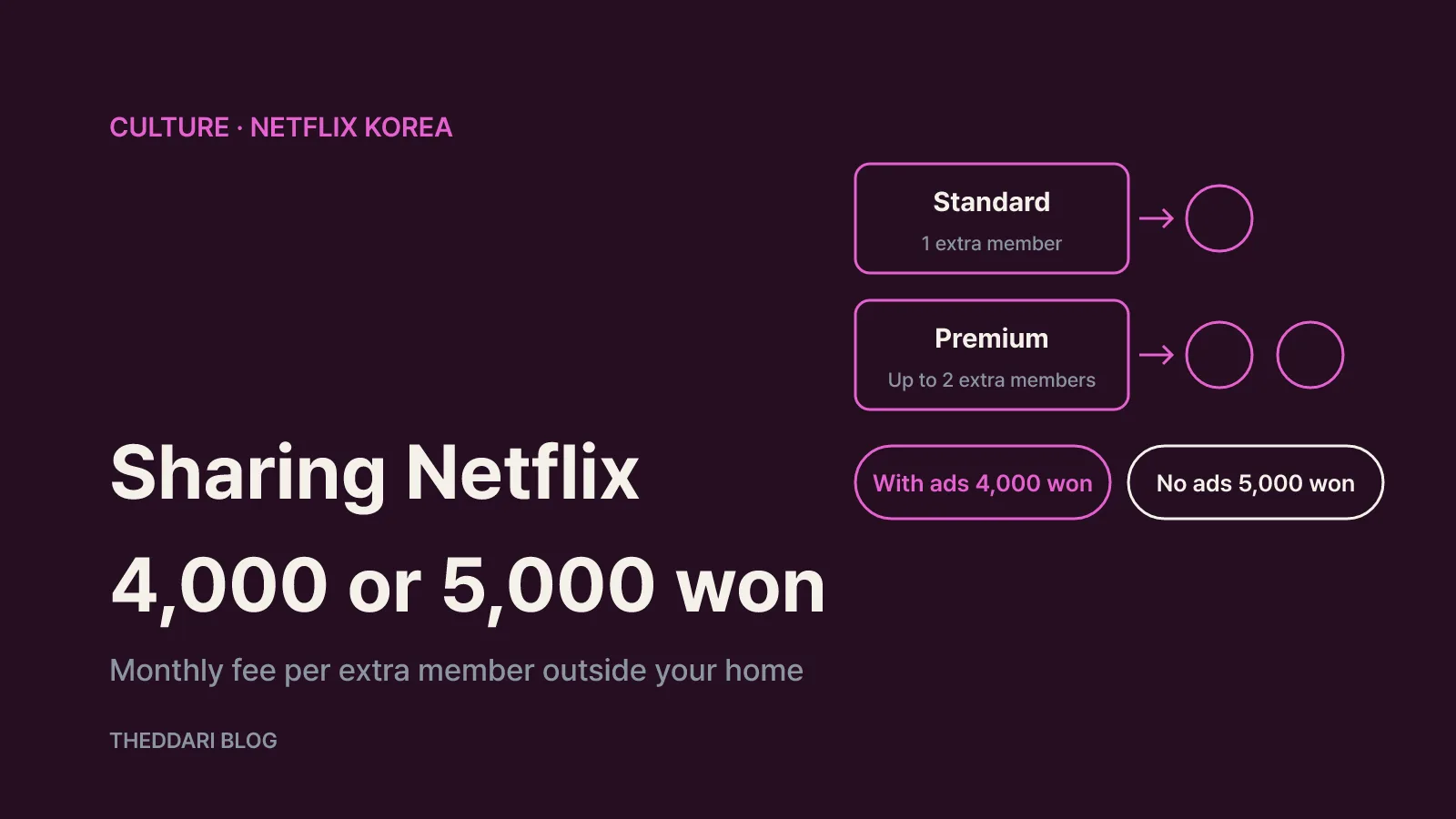
As of November 2026, Netflix's Korean Help Center says that anyone who does not live in your household needs either their own account or an extra member slot on yours. In Korea an extra member costs ₩4,000 a month with ads or ₩5,000 a month without ads, paid by the account owner. Standard (₩13,500 a month) allows one extra member and Premium (₩17,000 a month) allows up to two. Standard with ads (₩7,000 a month), third-party billed accounts and some bundled packages cannot add extra members at all. This guide is written for people with a Korean Netflix account, including expats who want to share with a partner, roommate or relative living elsewhere in Korea.
Netflix Korea extra member prices and plan limits
The Plans and Pricing page for Korea lists three plans in won: Standard with ads at ₩7,000, Standard at ₩13,500 and Premium at ₩17,000 per month. Extra members are an add-on only for Standard and Premium. Each slot is ₩4,000 a month for the ad-supported version or ₩5,000 a month for the ad-free version. Standard can hold one slot; Premium can hold two.
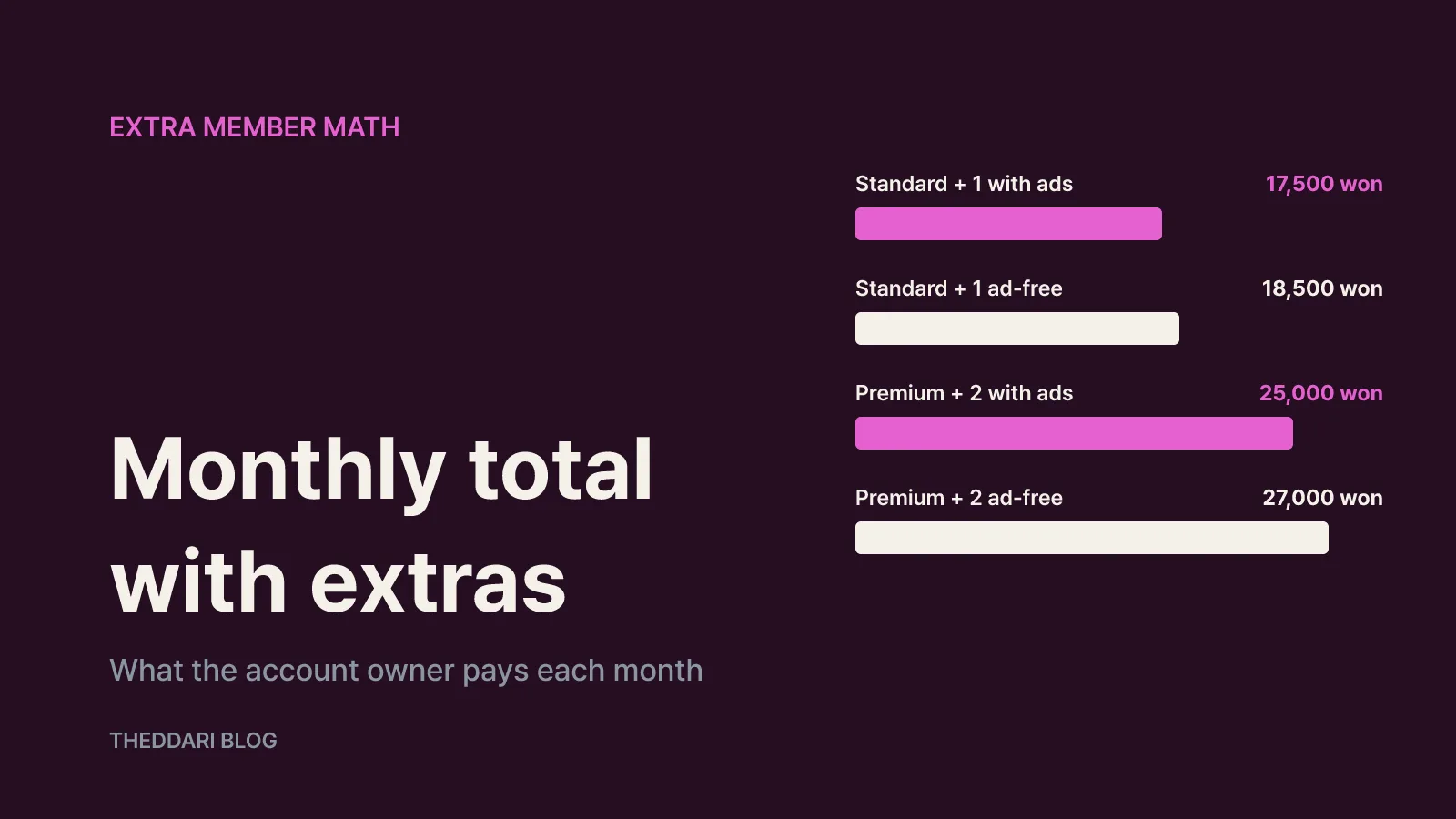
Adding the official prices together gives these monthly totals for the account owner:
- Standard plus one ad-supported extra member: ₩13,500 + ₩4,000 = ₩17,500
- Standard plus one ad-free extra member: ₩13,500 + ₩5,000 = ₩18,500
- Premium plus two ad-supported extra members: ₩17,000 + ₩8,000 = ₩25,000
- Premium plus two ad-free extra members: ₩17,000 + ₩10,000 = ₩27,000
The owner is billed for everything. The extra member gets their own email login and password but is never asked for a payment method, so any cost splitting happens privately between you. Netflix also notes that taxes may be added depending on where you live, that billing happens monthly on your sign-up date, and that there are no annual plans. The Basic plan is no longer offered to new or returning members, and existing Basic subscribers cannot add extra members.
One useful comparison: the cheapest way for the other person to subscribe independently is Standard with ads at ₩7,000. An ad-free extra member slot costs ₩2,000 less and has no ads, but it comes with tighter limits, covered next.
What each extra member slot includes
According to the Extra members help article, every extra member has a separate account, password and profile, can watch away from home, and does not affect the owner's recommendations. Both slot types share three limits:
- Streaming on one supported device at a time
- Downloads on one supported device at a time
- One profile only (Kids profiles excluded)
The differences are ads and quality. The ad-supported extra member sees a small number of short ads, is capped at 1080p (Full HD) with no spatial audio, can download 15 titles a month, and has their date of birth and gender collected for the ad experience. The ad-free extra member watches at the same video and audio quality as the owner, and their monthly download limit matches the owner's plan.
This matters most on Premium, which supports 4K (UHD), HDR and spatial audio. An ad-free extra member on a Premium account gets that same quality; an ad-supported one stays at 1080p. On Standard the owner is also at 1080p, so the ₩1,000 difference mainly buys freedom from ads and a different download limit.
How to add an extra member on web or TV
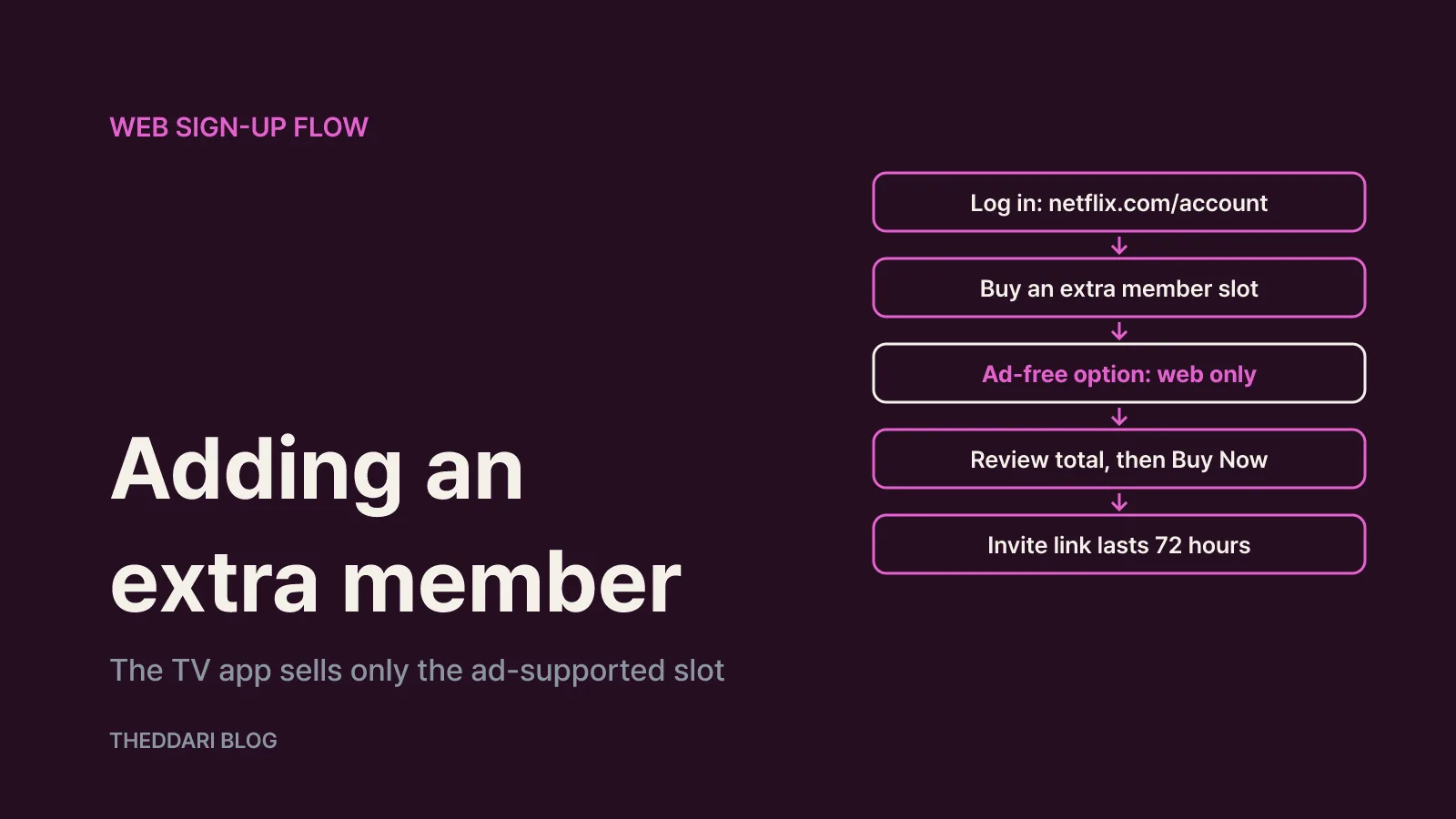
Netflix says the ad-free extra member can only be purchased through a web browser. The TV app offers only the ad-supported slot. A phone browser counts as web, so you do not need a computer.
On the web:
- Sign in at netflix.com/account.
- Select "Buy an extra member slot."
- The ad-supported slot is selected by default. For the ad-free one, choose the option under the Next button to pay a little more for no ads, then continue.
- Review the new monthly total. Nothing is charged until you confirm, but your billing date may shift or a prorated amount may be charged based on your remaining balance.
- Select "Buy Now."
- Enter the extra member's name and email plus your own name. Netflix emails an invite link, which you can also copy from the extra member management page.
On a TV, a prompt asking whether you want to share Netflix with someone outside your household appears after you pick a profile. Choose Learn More, then Buy Now, and enter the person's phone number to text them the invite.
Invite links expire after 72 hours. If that happens, the extra member can open Netflix on their own device, choose to activate now, and enter a phone number to receive a fresh link by text.
You can also transfer an existing profile so the person keeps their recommendations, viewing history, My List and settings. Kids profiles, PIN-protected profiles and the primary profile cannot be transferred, and transfer is not possible if the account has only one profile or the invitee previously owned their own account. If they accept, the profile is removed from your account.
Seven reasons adding an extra member fails
The Help Center lists these causes:
- You are on Standard with ads or Basic rather than Standard or Premium.
- You are billed through a third party. Change your payment method, then add the member during the next billing cycle. Mobile carrier billing is not affected by this restriction.
- Your Netflix comes in a bundle whose provider does not support extra members. Even when it does, the extra member fee is not included in the bundle and must be paid to Netflix with a credit or debit card; cash, automatic bank transfer and gift cards cannot be used for the first payment.
- The invitee's email is already linked to another Netflix account.
- The invitee lives in a different country from where the owner signed up. Overseas territories may also be blocked, and extra member accounts cannot be created over a VPN or proxy.
- The owner's membership is cancelled or has a pending change, a recent payment is still pending, or the account is on hold.
- You have already invited or removed extra members twice this month. Try again next month.
Reason five is the common one for expats: a Korean account cannot add a relative living in your home country. That person needs a local subscription.
Changing or cancelling a slot, and when billing stops
You can swap the person in a slot up to twice a month from netflix.com/account/membership/extra-members. Removing someone cuts off their access immediately. There is no direct switch between ad-supported and ad-free; you cancel the old slot and buy a new one, which may mean waiting until your next billing date.
If the owner cancels the slot, the extra member can keep watching until the current billing cycle ends. If the extra member cancels their own account, access ends immediately but the owner keeps paying until they cancel the slot themselves.
When a separate account makes more sense
Netflix says the person should create their own account if they want to pay with their own card, need two or more profiles, need more than one screen at a time, or live in another country. An extra member can choose to start their own membership and keep their history; the owner is notified and should cancel the empty slot to stop the charge.
People who live with you do not need a slot at all. The Netflix Household article defines a household as the devices connected to the internet at the main place you watch. It is set automatically from IP address, device ID and account activity when you sign in on the same connection as your TV, and Netflix says it does not collect GPS data. If you move, update the household from your TV.
In short, for one person watching on one screen elsewhere in Korea, a ₩4,000 or ₩5,000 extra member slot is the cheapest legitimate option. Choose ₩5,000 to share Premium quality without ads, ₩4,000 if 1080p and ads are acceptable, and a separate account for anyone abroad or needing several screens.