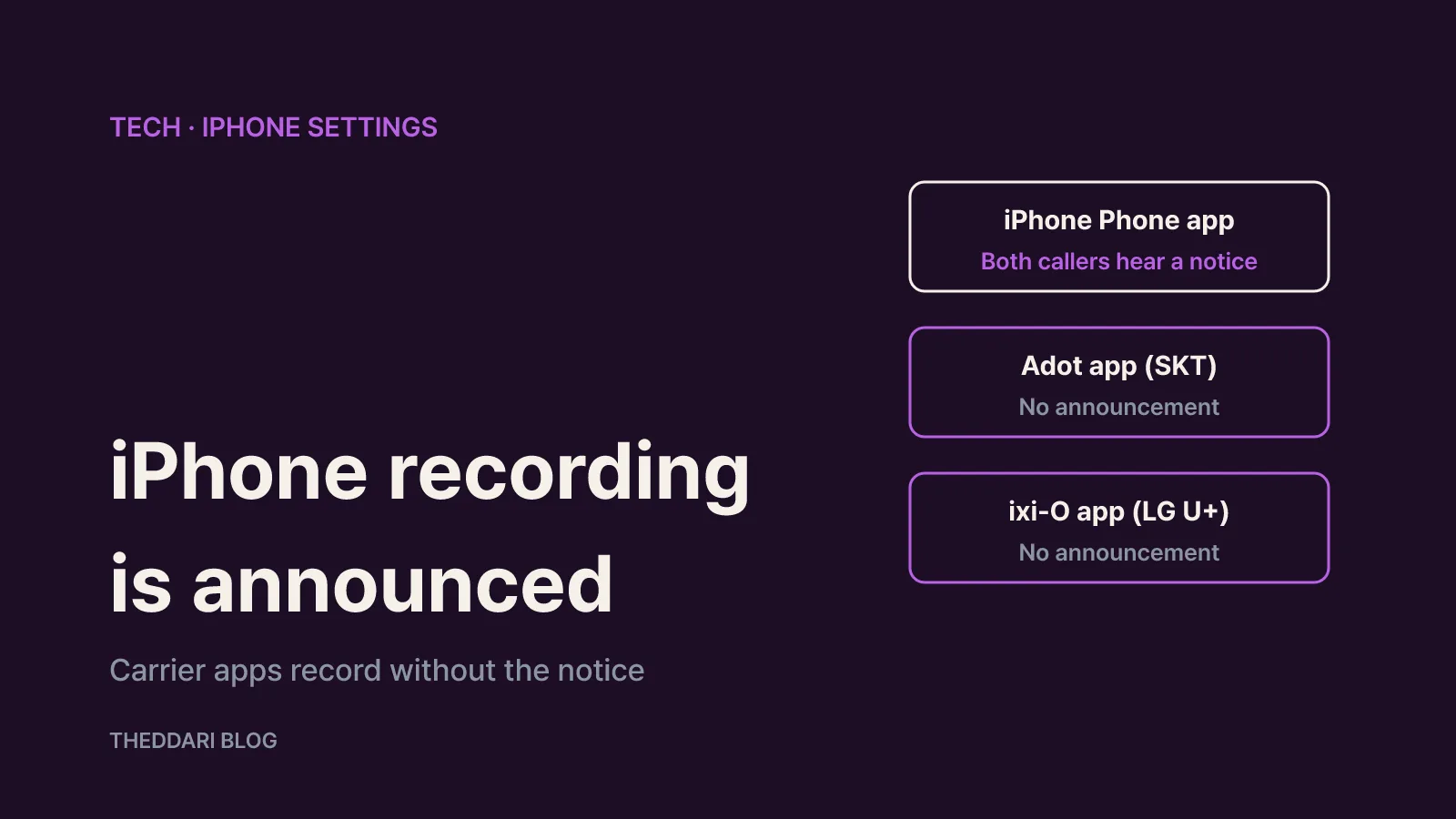
As of November 2026, the short answer is yes: the other person knows. When you start recording in the built-in iPhone Phone app, both participants hear an audio notice that the call is being recorded, and there is no setting that silences that notice. In South Korea, people who want to record without the announcement typically switch to a carrier calling app instead, such as SKT's A. (Adot) or LG U+'s ixi-O, which only record calls placed and answered inside those apps.
This guide walks through how the native feature works, where the files end up, what the announcement does and does not cover, and the eligibility rules for the Korean carrier apps. It also covers the Korean legal standard for recording your own calls and how to keep recordings from disappearing when you change phones. Everything here is drawn from Apple's own documentation, carrier announcements and App Store listings.
How built-in iPhone call recording works
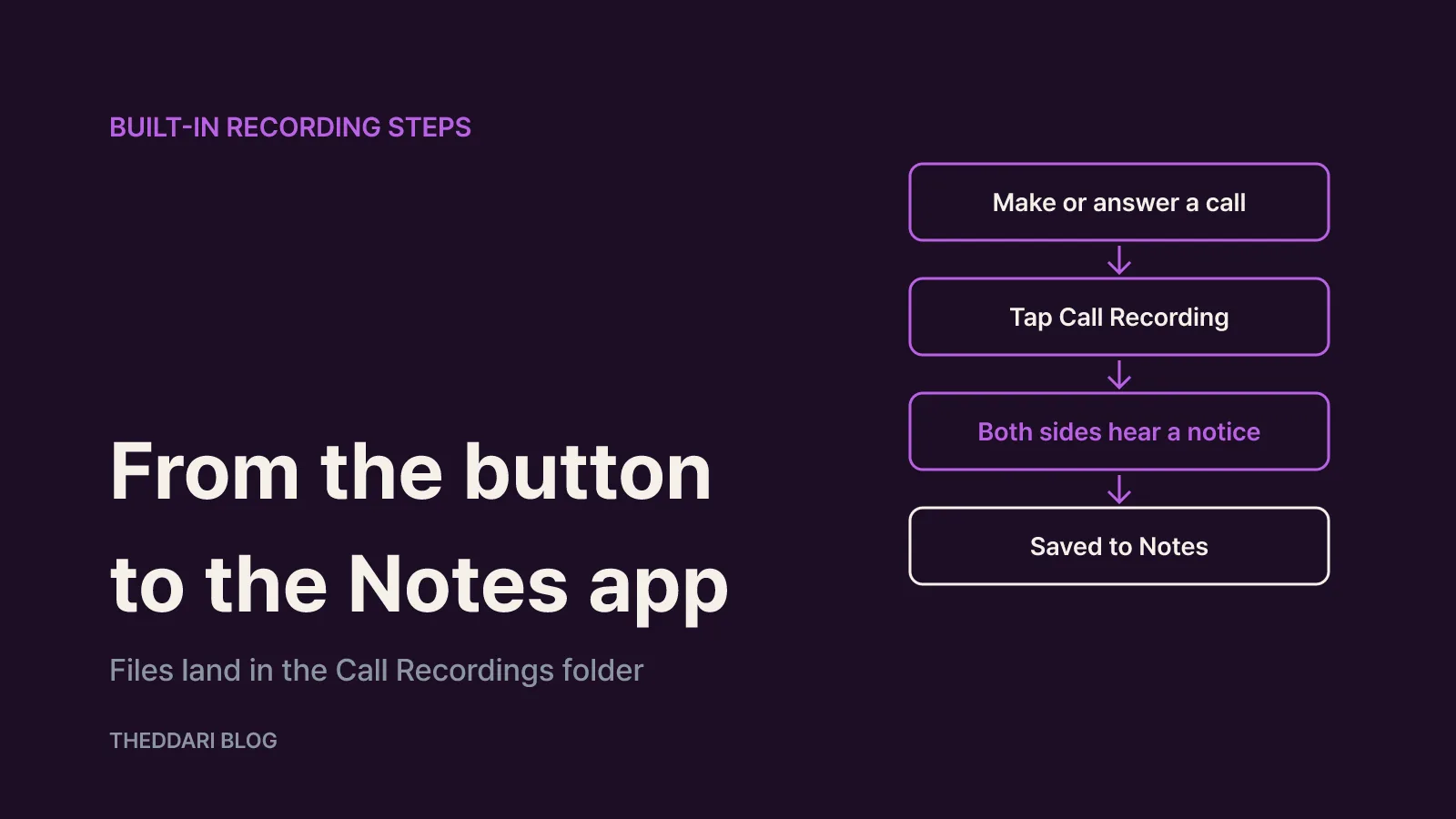
Call recording arrived in the Phone app with iOS 18.1. According to Apple's iPhone User Guide, the steps are:
- Make or answer a call in the Phone app.
- During the call, tap the button on the call screen and choose Call Recording. Depending on your iOS version it appears as a record icon in the top-left corner or inside a menu.
- Both participants hear an audio notice, and recording begins.
- Tap stop, or simply hang up, to end the recording.
- The audio is saved automatically to a Call Recordings folder in the Notes app. Right after the call you can tap View Saved Call to jump there.
A few limits are worth knowing before you rely on it. Apple says recording works only when you are talking to one other person, so multi-party calls are out. There is also no auto-record option: you have to tap the button on every call you want to keep, unlike many Android phones sold in Korea.
Inside Notes, the recording is more than an audio file. In supported regions and languages you also get a transcript, with each line labeled by speaker. Tapping a line plays the audio from that point, and Find in Transcript lets you search for a word. Transcripts can take a little while to appear, and Apple warns that they may not perfectly represent the conversation, so check anything important against the audio. If no transcript shows up at all, Apple says either the iPhone does not meet the minimum requirements or it did not detect a supported language.
On iPhones that support Apple Intelligence, Notes can also show a summary of the call. Apple's iOS 27 documentation lists iPhone 15 Pro, iPhone 15 Pro Max and iPhone 16 or later. A summary is handy, but dates, amounts and commitments should still be confirmed from the transcript or the recording itself.
What the recording notice does
The most common question is whether the other caller can tell. Apple's Personal Safety User Guide is explicit: when someone starts recording, both participants hear an audio notice, and the notice replays periodically during the call. When the person who started the recording stops it, a message plays to say recording has ended.
Some details that often surprise people:
- Only the recorder needs the feature. Apple notes that only the person starting the recording needs call recording to be available. The other person can be on an Android phone or a landline and will still hear the notice.
- Only the recorder keeps a copy. Anything recorded is saved in the Notes app of the person who started the recording.
- The other side cannot block it. If you do not want to be recorded, your only option is to end the call.
- Turning the feature off only affects you. Going to Settings > Apps > Phone > Audio Call Recording and switching it off removes your own record button. It does not stop anyone else from recording a call with you.
Apple adds a caveat that matters: third-party apps may record your call without giving any warning. Not hearing Apple's announcement does not prove a call was not recorded.
Availability also varies by region. Apple's guide states that call recording is not currently available in places including the European Union, Russia, Turkey, the United Arab Emirates, Saudi Arabia and South Africa. Korea is not on that list, so the Phone app's record button is available there.
Recording without the announcement: Korean carrier apps
If the announcement makes the built-in feature awkward to use, Korean carriers offer their own calling apps for iPhone. The key point is that these apps replace the Phone app for calls you want recorded. A call placed from the regular green Phone app is not captured by them.
SKT: A. (Adot)
SK Telecom's announcement says the A. Phone feature in the Adot iPhone app is open to SKT subscribers with HD Voice calling, after agreeing to the terms on first launch. You can set calls to record automatically or start recording manually during a call. After the call, the app produces the recording, a text version of the conversation and an AI summary. Files are stored on the device as app data rather than on SKT's servers. Under the terms described at launch in 2023, recordings are deleted automatically one year after they are created, and they are removed, with no recovery, if you delete the app or leave the service.
LG U+: ixi-O
The ixi-O App Store listing sets out these conditions:
- Who: U+ Mobile customers aged 14 or older, free of charge
- Not eligible: other carriers, MVNO and prepaid customers, with the exception of KB Liiv M subscribers
- Device: iPhone 12 or later running iOS 17.0 or later
- Features: recording and summaries, real-time voice-phishing detection, live call captions and AI call answering
The app's release notes also state that call recording is not supported when using ixi-O's roaming call feature abroad.
KT subscribers
According to an October 2026 explainer by AiN Legal Studio, KT does not offer an equivalent iPhone app. KT iPhone users are left with the built-in recorder, announcement included, or recording important confirmations in person with Voice Memos.
For comparison, Galaxy phones bought in Korea record calls from the default Phone app without an announcement, and the Phone app's Settings > Call recording > Auto record calls option can record every call or only selected numbers.
Is it legal to record your own calls in Korea?
Under Korean law the deciding question is whether you are a party to the conversation. The Protection of Communications Secrets Act prohibits recording or listening to "non-public conversations between other people" (Articles 3(1) and 14(1)). The AiN Legal Studio article cites Supreme Court rulings (2006Do4981 and 2008Do1237) holding that a participant who records their own conversation or phone call is not doing what the Act prohibits. Whether you warned the other person is not the test.
Recording a conversation you are not part of is a different matter. The same article explains that it carries one to ten years in prison plus up to five years' suspension of qualifications, with no fine option, and that disclosing such a recording is punished the same way (Article 16(1)).
On evidence, the article notes that a recording made secretly by a participant is not inadmissible for that reason alone and can be submitted in criminal and civil cases. In criminal trials, though, its authenticity can be challenged if the other side does not consent, so keep the original file untouched. These rules are specific to Korea; other countries set their own consent requirements, so check local law before recording calls elsewhere. For an actual dispute, take the recording to a lawyer.
Keeping recordings safe
A recording is useless if it is gone when you need it, and each app stores files differently.
Built-in recordings live in Notes, so treat the Call Recordings folder carefully when tidying your notes. From the recording's menu, Save Audio Files lets you export the audio to the Files app or another location. Remember that deleting the audio also deletes the transcript.
ixi-O deletes all recordings and call text when the app is removed. The App Store listing recommends downloading important recordings via Recent > Call summary > More (···) > Save recording, or backing up under Settings > General settings > Backup and restore. Check that backup before switching phones.
Adot, under its launch terms, removes recordings after one year and cannot recover them after deletion or account removal, so export anything you need to keep longer.
Finally, what matters most is what the recording actually captures. If a call involves dates, places, amounts or the scope of an agreement, restate the key points during the call and get a clear answer from the other person. A short, focused recording is a far better record than a long, vague one.